As my collection of 4K Blu-rays starts to grow larger, I am realizing that more and more of them have a soundtrack mixed in Dobly Atmos. Since my little home theater supports Dolby Atmos but lacks a 4K display, I want to be able to watch the HD copies of my movies but also experience the upgraded sound mix that 4K Blu-ray has to offer. Here's how I decided to solve this very first world problem.
You might say, "Well, why don't you just get a 4K display?" Well, ding dong, I want to. But 4K projectors are expensive and I haven't gotten around to it, okay? So in the mean time I'm using a program called MKVToolNix to get around this. MKVToolNix can inspect and alter the properties of MKV files. More specifically, it can merge the video and audio portions of the multiple files into a new MKV file.
Let's use my favorite Pixar movie Toy Story to illustrate how this works. First, we'll need to add both the HD and UHD versions of the movie to MKVToolNix.
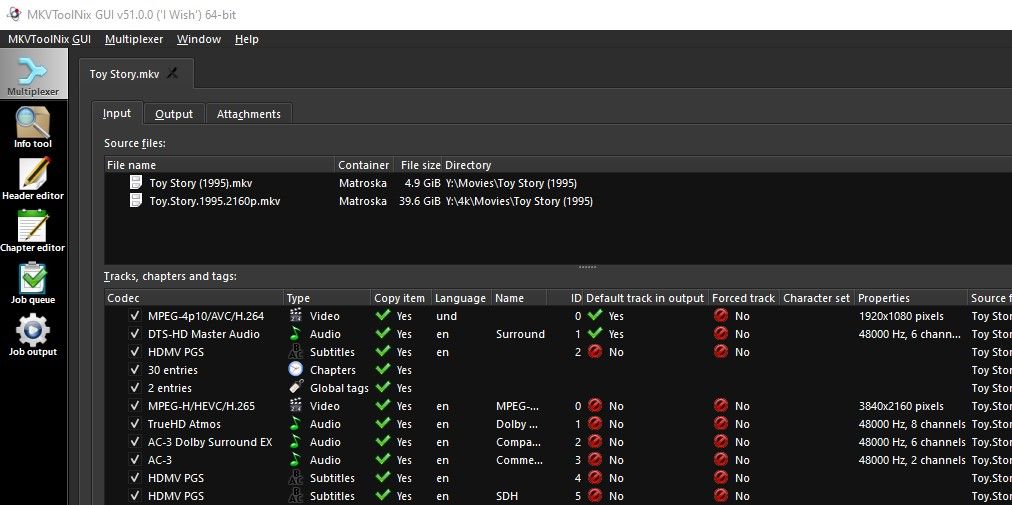
The first five entries are from the HD copy and the rest are from the UHD copy. All we need to do is select which ones we want to put into a new MKV file. I'm interested in keeping the HD video and the Dolby Atmos sound so I'll select those along with the chapter and subtitle entries.
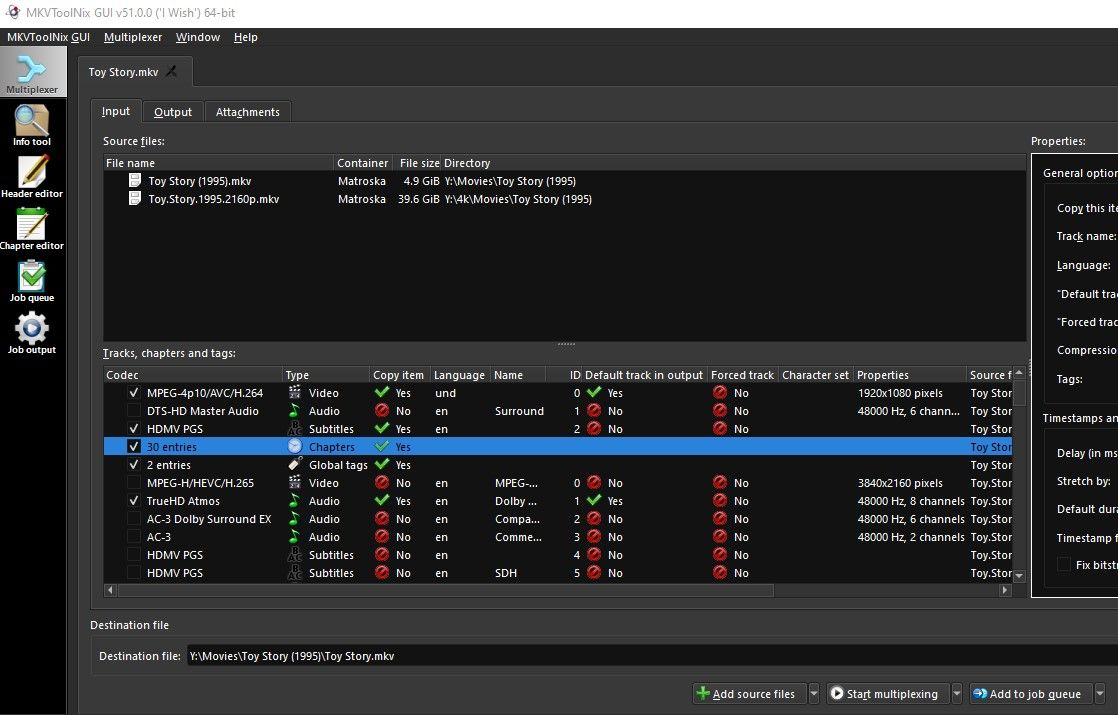
Once those are selected, we just need to click "Start multiplexing" and BOOM! A new MKV file will be created with HD video and Dolby Atmos audio. Isn't that neat?