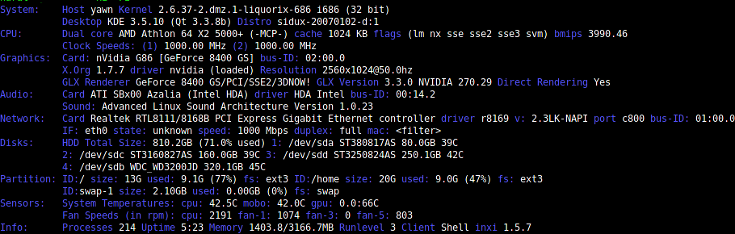
I love the Linux command line and the power it brings. I believe it is underrated by many a folk. But it is not without its imperfections. Of course, as I say that, I think about individuals such as myself that don't have a full mastery of the CLI and can't help but wonder if the imperfections I see are just a lack of knowledge of all the great tools it has to offer.
Either way, for a long time I always griped about what a pain it was to find hardware information in Linux. It seems a different command is required for every different piece of hardware in order to get information from it. For example:
lspcu - CPU information
lspci - lists details about PCI buses
lsusb - lists details about USB controllers
df - shows disk space of all file systems
free - shows memory utilization
hwinfo - displays information about multiple pieces of hardware (this one is actually not bad)
The list goes on. While these tools are all useful in their respective forms, remembering all of them can be cumbersome. One day I got sick of using all of these and found a tool called inxi.
Inxi is basically just a bunch of scripts that gather a ton of information about the hardware, then displays it all in a very easy to read format. It is available in just about all the default repositories in all the popular distros.
Debian/Ubuntu:
sudo apt-get install inxi
Centos/Redhat:
sudo yum install inxi
Let's start with basic information using -b (don't worry about the Distro error. Proxmox apparently doesn't like inxi):
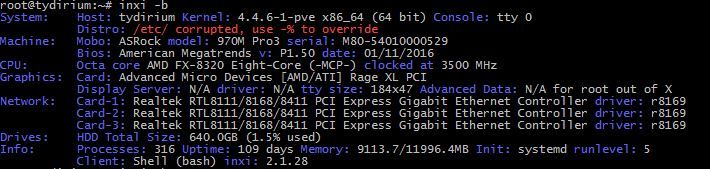
I'm not fond of those colors. Inxi can change this with the 'c' option.
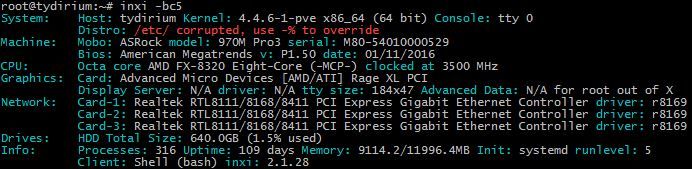
Much better.
Hard drive partitions with -p:

Network interface details with -n:

Hopefully this helps getting started with this awesome tool that gets the CLI a little bit closer to perfect. Refer to the man page to see all the other information it can show.